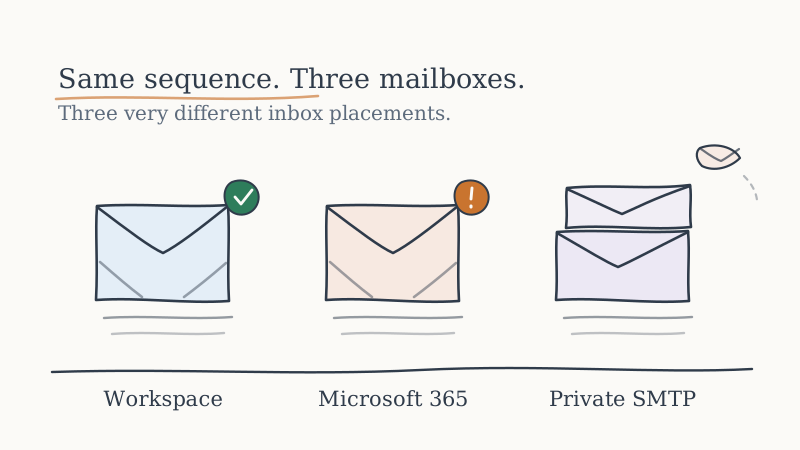
There is a decision most outbound teams make in about ninety seconds, usually by defaulting to whatever the company already runs, and then live with for years. It is the mailbox provider the cold email actually sends from.
It deserves more than ninety seconds. Of all the variables in cold outbound, the sending mailbox is one of the few that sets a hard ceiling on everything downstream. You can write a better subject line. You cannot write your way out of a mailbox provider that throttles you at 300 sends and files the rest under junk.
This is the comparison nobody publishes honestly, because the honest version does not flatter anyone.
The Short Version
Google Workspace has the most forgiving reputation behavior for cold outbound and the cleanest path to many-mailboxes-across-many-domains. It is the default for a reason. It is also the most aggressive about shutting down accounts that look like bulk senders, and the shutdown is abrupt.
Microsoft 365 is the right answer if your recipients are mostly on Microsoft and the wrong answer for almost everything else. Its outbound sending limits and its filtering posture toward unknown senders make high-volume cold email genuinely painful. Plenty of teams discover this after buying 40 seats.
Private SMTP (your own servers, or a relay you control) is cheapest per unit at scale and the most expensive per incident. You own the IP reputation entirely, which is exactly the problem: you also own the recovery when it goes bad, and recovery is measured in weeks.
If that is all you needed, stop here. If you are about to commit real budget, the details are where the money is.
What You Are Actually Buying When You Buy a Mailbox
Most comparisons treat a mailbox as storage with an address attached. For cold outbound it is four separate things, and providers differ wildly on each.
Sending reputation you inherit. When you send from a Google Workspace mailbox, part of what the receiving server evaluates is Google’s infrastructure, which is a known and generally trusted quantity. From a fresh private SMTP IP, you inherit nothing. You start at zero and build, and “zero” in filtering terms is closer to “suspicious” than to “neutral.”
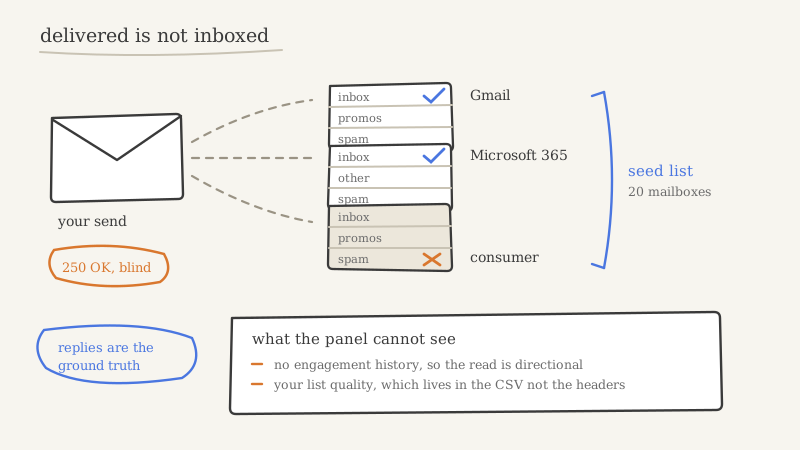
Throughput ceilings. Every provider caps outbound sends per mailbox per day. These caps are not the number in the marketing material. The practical cap for cold outbound (where reply rates are low and spam complaints are nonzero) is a fraction of the documented limit, and crossing it quietly degrades placement before it ever triggers a visible error.
Failure mode when something goes wrong. This is the variable teams never evaluate and always get hurt by. Does a reputation problem degrade gradually, giving you time to react? Or does your account get suspended at 6am with sequences mid-flight and no export? The answer differs sharply by provider, and it determines whether a bad week is a bad week or a lost quarter.
Authentication surface. How many domains can you attach, how granular is the DNS control, how painful is SPF, DKIM, and DMARC across all of them. We have written the full setup discipline in our guide to SPF, DKIM, and DMARC for cold email, and the short version is that the provider decides how much of it you can actually get right.
Google Workspace: The Default, and Why It Earned That
Google Workspace is where most serious cold outbound runs, and the reasons are specific rather than vague.
Placement into Gmail inboxes is structurally better from a Workspace mailbox. A meaningful share of B2B recipients are on Google, and sending Google to Google removes a layer of cross-provider suspicion. Authentication is straightforward to configure correctly, per-domain. Mailbox provisioning across many domains is well-trodden, which matters enormously, because the correct architecture for cold outbound is never one domain with many mailboxes. It is many domains with few mailboxes each, so that a reputation problem is contained to a slice of capacity instead of all of it. We worked through that math in how many sending domains and inboxes you need to scale cold outbound.
Now the part the enthusiasts skip.
Google is actively hostile to accounts that pattern-match to bulk unsolicited sending, and its enforcement is automated, opaque, and fast. There is no warning email. There is no appeals process that resolves in a useful timeframe. A suspended Workspace tenant takes your mailboxes, your sent history, and your in-flight sequences with it. Teams who run cold outbound on a single Workspace tenant tied to their primary corporate domain are making a bet most of them have not consciously priced: they are putting the company’s actual email on the same enforcement surface as their coldest campaign.
The mitigation is architectural, not clever. Cold outbound sends from separate tenants on separate domains that are not your corporate domain, with your real company email entirely insulated from it.
Microsoft 365: Correct for Some Recipients, Painful for Volume
Microsoft 365 is a genuinely excellent business email product that happens to be poorly suited to cold outbound, and these two facts confuse a lot of buying decisions.
The case for it is real. If your ICP is mid-market and enterprise, a large share of your recipients sit behind Microsoft filtering, and Microsoft’s treatment of inbound mail from Microsoft tenants is measurably different from its treatment of everything else. Outbound into Outlook and Office 365 recipients is the hardest placement problem in cold email, which we covered in cold email deliverability into Microsoft and Outlook inboxes. Sending from inside that ecosystem helps.
The case against it is also real, and it is mostly about throughput and recovery. Microsoft’s outbound limits are tighter in practice for unsolicited sending patterns, its throttling is less transparent, and its tolerance for high-volume low-engagement sending is low. Attaching and authenticating many separate sending domains is more administratively involved than on Workspace. And when placement starts to slip, the diagnostic surface is thinner, so you find out later.
The practical read: Microsoft 365 is a reasonable component of a mixed sending pool when your data says a large fraction of your targets are on Microsoft, and a poor choice as the sole foundation of a scaled cold program.
Private SMTP: Cheap Per Unit, Expensive Per Incident
Running your own sending infrastructure or a relay you fully control looks compelling on a spreadsheet. Per-mailbox cost collapses. Volume ceilings become a function of your own capacity planning rather than someone’s acceptable use policy. Nobody suspends you.
Then you meet IP reputation.
On a fresh IP you have no sending history, which means receiving filters have no reason to trust you and every reason not to. You warm it, slowly, correctly, for weeks. That works, and a well-run private setup can reach genuinely good placement. The problem is what happens after. A single bad list, one scraped data source, one bounce spike, and that IP reputation is damaged. Unlike a shared-infrastructure provider where reputation is partly pooled and partly recoverable through the provider’s own standing, a damaged dedicated IP is yours alone to rehabilitate. That takes weeks of reduced volume, and during those weeks your pipeline is not being built.
We went deeper on that tradeoff in dedicated vs shared IPs for cold email deliverability. The summary is that private SMTP rewards operational maturity and punishes everything else, and most teams evaluating it are earlier in that maturity curve than they believe.
Side-by-Side
| Google Workspace | Microsoft 365 | Private SMTP | |
|---|---|---|---|
| Inherited reputation | Strong | Strong | None, you build it |
| Gmail placement | Best | Workable | Depends entirely on warmup |
| Microsoft placement | Workable | Best | Hardest |
| Practical volume per mailbox | Moderate | Low for cold patterns | High once warm |
| Many-domain architecture | Well-trodden | More admin overhead | Fully yours |
| Failure mode | Abrupt suspension | Opaque throttling | Slow reputation decay |
| Recovery time after damage | Tenant may be unrecoverable | Days to weeks | Weeks of reduced volume |
| Cost per mailbox at scale | Mid | Mid | Lowest |
| Operational burden on you | Moderate | Moderate | Very high |
Pricing moves and tiering changes, so check current list pricing with each provider rather than trusting a number in a blog post, including this one.
The Number That Actually Decides This
Teams agonize over the provider and ignore the variable that matters more: volume per mailbox per day.
Low volume across many mailboxes beats high volume across few mailboxes on every provider in this comparison. It is not close. A hundred mailboxes sending twenty a day behaves like normal human email. Ten mailboxes sending two hundred a day behaves like a bulk sender, and gets filtered like one, regardless of whose logo is on the tenant.
This reframes the decision usefully. The question is not “which provider has the best deliverability.” It is “which provider lets me run many domains and many mailboxes at low volume each, without the admin cost eating the gain.” Answered that way, Workspace usually wins on ease, private SMTP wins on unit cost at real scale, and Microsoft wins when recipient data justifies it.
What None of Them Do for You
Here is the part that makes the provider comparison less decisive than it looks. All three hand you an empty mailbox and wish you luck. Three operational jobs remain, and they determine outcomes more than the provider choice does.
Warmup that is not a toggle. Domains need to age before use. Volume needs to ramp per mailbox on a schedule, against real engagement rather than a reciprocal warmup pool of other cold senders. This is ongoing operations, not a setup step, and the full discipline is in our cold email deliverability guide.
Reputation monitoring and rotation. Somebody has to watch placement daily, notice the mailbox starting to wobble, and pull it from rotation before it drags the pool down. Nobody does this consistently as a side task. This is precisely the layer Inboxy exists to be: it provisions the domains and mailboxes email outreach sends through, warms them against a live network, monitors reputation, and rotates capacity before placement drops. Not a feature bolted onto a sequencer, an operated layer.
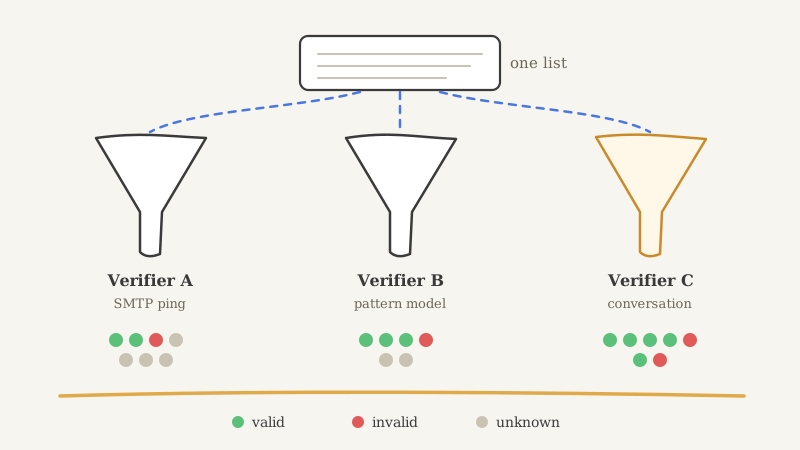
Verification before a single send. The fastest way to destroy any mailbox on any provider is to send into a list you did not verify. Enriched lists carry catch-all domains, stale addresses, and role accounts, and a bounce spike on a young domain produces reputation damage you may not be able to undo. Running the final list through Scrubby, which clears catch-all email without bouncing, is what keeps a data problem from becoming a deliverability incident. Catch-alls are where most providers either bounce or refuse to answer, and they are a large slice of real B2B addresses.
Worth naming a fourth: once volume is actually landing, replies arrive faster than a shared inbox can absorb. Routing email and LinkedIn conversations into one place wired to the CRM is what Underfive handles, and it stops a deliverability win from turning into a response-time loss. And when the inbox is genuinely the wrong channel for an account, calendar-first outreach through KALI skips the filtering question altogether.
How to Decide This Week
- Pull your recipient provider mix. Run your current list through an MX lookup and find out what share of your targets are actually on Google versus Microsoft. Decide with that number, not with a preference.
- Separate corporate email from cold sending. Non-negotiable. Different domains, different tenants. If a cold program can suspend the mailbox your CEO uses, the architecture is wrong regardless of provider.
- Plan the domain and mailbox count before you buy seats. Many domains, few mailboxes each, low volume per mailbox. Buying 40 seats on one domain is the common and expensive mistake.
- Price the operations honestly, not just the seats. Warmup, daily reputation monitoring, rotation, and verification are real recurring work. If no named person owns them, the provider choice will not save you.
- Decide what a suspension costs you. If the answer is “a quarter of pipeline,” build for containment now rather than after.
The uncomfortable conclusion is that the provider question is a second-order question. Teams that pick Workspace and run the operational layer properly beat teams that pick the theoretically optimal provider and skip the warmup. The mailbox is the easy part to buy and the hard part to run.
Which is the entire reason we operate that layer rather than sell it as software. If you would rather the domains, mailboxes, warmup, and reputation monitoring were somebody’s actual job, that is what Vendisys does.