LinkedIn is the one outbound channel where the tooling decision carries real downside risk. If you pick the wrong cold email platform, your worst case is a bad quarter and a wasted annual contract. If you pick the wrong LinkedIn automation tool and run it hot, your worst case is a restricted account belonging to a real person on your team, with their network, their history, and their credibility attached to it.
That asymmetry gets lost in most comparison posts, which line up feature grids and declare a winner. So this is a different kind of comparison. HeyReach, Expandi, and Dripify are three of the most commonly shortlisted LinkedIn outreach tools, and they are not three versions of the same product. They make genuinely different architectural bets, and each bet fails in a different way under volume.
Here is what actually separates them, and how to decide before you hand over profile access.
The Short Version
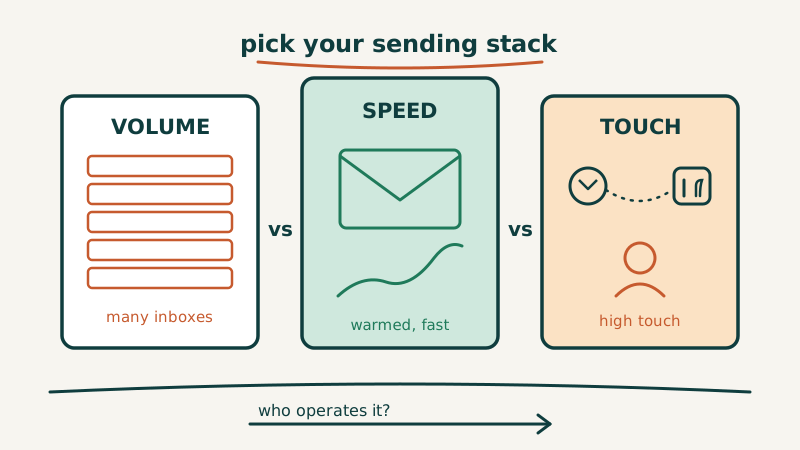
- HeyReach is built around running many sender accounts as one campaign. Its center of gravity is agencies and teams that need sender rotation and a unified inbox across profiles. Strongest choice if your constraint is “we need volume without pushing any single profile hard.”
- Expandi is the most configurable of the three, with the deepest conditional sequence logic and the most integration surface. Strongest choice if you have someone technical who will own the setup and wire it into the rest of your stack. Also the easiest of the three to misconfigure into trouble.
- Dripify is the simplest and the cheapest entry point, with straightforward drip campaigns and basic team management. Strongest choice for a small team or a founder running a focused motion who wants it working this week.
Now the parts that matter once you are the one answerable for the results.
The Constraint Nobody Can Engineer Around
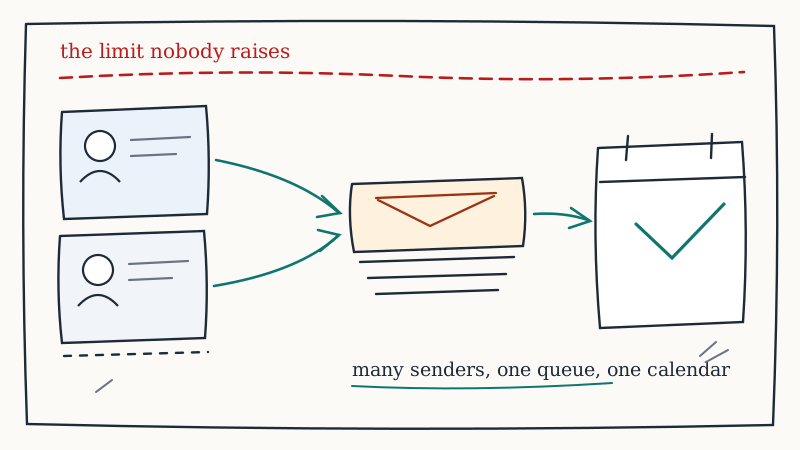
Every tool in this category operates against the same ceiling: LinkedIn’s own activity limits and its detection of non-human behavior patterns. Connection requests, profile views, messages, and InMails all sit inside limits that LinkedIn adjusts without notice and does not publish precisely.
This matters because it collapses a lot of the marketing. When a vendor implies you can send hundreds of connection requests per profile per day, they are either describing a short window before a restriction lands or quietly counting activity across multiple accounts. There is no tool that has negotiated a higher limit, and there is no clever workaround that holds up over months.
Which means the real question is not “which tool sends the most?” It is “which tool gets me the volume I need without concentrating risk on any one profile?” That reframe is what actually sorts these three.
A practical corollary: before you compare tools, work out how much LinkedIn volume your pipeline target genuinely requires. Our breakdown of how much outbound volume you need to hit pipeline targets is a better starting point than a vendor’s maximum-throughput claim, because it tells you whether you need one careful sender or twelve.
HeyReach: Built for Many Senders, One Campaign
HeyReach’s design decision is that volume comes from breadth of accounts rather than depth per account. You attach multiple LinkedIn profiles, build one campaign, and the platform distributes the work across those senders while keeping replies in a single shared inbox.
Where that pays off:
- Risk is distributed by default. Ten profiles each operating at a conservative daily rate produce meaningful volume without any individual profile looking abnormal. This is the single most important structural advantage in the category.
- The unified inbox is not a nice-to-have. Once you are running more than two or three sender profiles, reply management becomes the actual bottleneck. Having one queue instead of switching between browser sessions is the difference between replying in an hour and replying in two days.
- Agency and multi-client shape. Workspace separation, per-client reporting, and seat management are first-class rather than bolted on, which is why it shows up so often on agency shortlists.
- Conservative defaults. It tends to ship with limits closer to native LinkedIn behavior rather than maximum theoretical throughput.
Where it costs you:
- The model assumes you have profiles. The architecture only shines if you actually have multiple real, aged, credible LinkedIn accounts to run. If you have two, you are paying for infrastructure you cannot use.
- Less sequence sophistication. The branching logic is good enough for most outbound, but if you want deeply conditional, signal-triggered sequences, you will find the ceiling.
- Pricing scales with senders. That is honest and logical, but it means the cost curve rises exactly as you grow.
Sourcing and warming legitimate sender profiles is the hidden project here. It is slow, it is unglamorous, and it is the reason multi-sender LinkedIn programs stall at the planning stage. It is also exactly the part Vendisys LinkedIn outreach exists to remove: LIA manages LinkedIn outreach at scale, running 1,000 or more InMails per month on your behalf, so the profile infrastructure is operated rather than assembled by your team.
Expandi: Maximum Control, Maximum Rope
Expandi is the power user’s option. Cloud-based, with a dedicated country-matched IP per account, conditional “smart sequence” logic, webhook support, and enough configurability to build genuinely clever multi-step flows.
Where it pays off:
- Conditional logic that reflects real buyer behavior. Branch on whether a connection was accepted, whether a profile was viewed, whether a message was opened, and route accordingly. This is meaningfully better than linear drips when your ICP has multiple personas.
- Dedicated IP per account. Session consistency matters for account health, and a stable country-matched IP is a real advantage over tools that rotate you through shared infrastructure.
- Integration surface. Webhooks and API access mean LinkedIn activity can actually trigger things elsewhere in your stack rather than living in a silo.
- Multi-channel sequencing. Email steps alongside LinkedIn steps, inside one flow.
Where it costs you:
- It will let you do the wrong thing. The configurability that makes Expandi powerful also makes it the easiest of the three to turn into an account restriction. If you raise daily limits because the slider allows it, the tool will comply.
- Setup is a project, not an afternoon. Expect real onboarding time, and expect the quality of your outcomes to track the skill of whoever configured it.
- Ownership risk. Sophisticated sequences built by one person become unmaintainable the moment that person changes roles. We have written before about tool sprawl and consolidation in the GTM stack, and single-owner configurations are a quieter version of the same problem.
Dripify: Fast, Simple, Bounded
Dripify is the most approachable of the three. Set up a drip campaign, define the steps, let it run. Team management, basic A/B testing, and activity reporting are included, and the learning curve is measured in hours.
Where it pays off:
- Time to first campaign. If the alternative is “LinkedIn outreach has been on the roadmap for two quarters,” shipping something simple this week beats architecting something perfect next quarter.
- Price. It is typically the cheapest meaningful entry point in this comparison, which makes it a reasonable way to validate that LinkedIn is even a viable channel for your ICP before committing budget.
- Low misconfiguration surface. Fewer knobs means fewer ways to accidentally run at a dangerous rate.
Where it costs you:
- Limited sender orchestration. It is fundamentally built around individual or small-team usage, not coordinated rotation across a dozen profiles.
- Shallower logic. Drips are linear-first. Workable for a single clean persona, constraining when your motion needs branching.
- You will outgrow it. Most teams that succeed on LinkedIn with Dripify eventually migrate, and migration costs are real: sequences get rebuilt, history gets stranded, and reply continuity breaks.
How They Compare on the Dimensions That Decide It
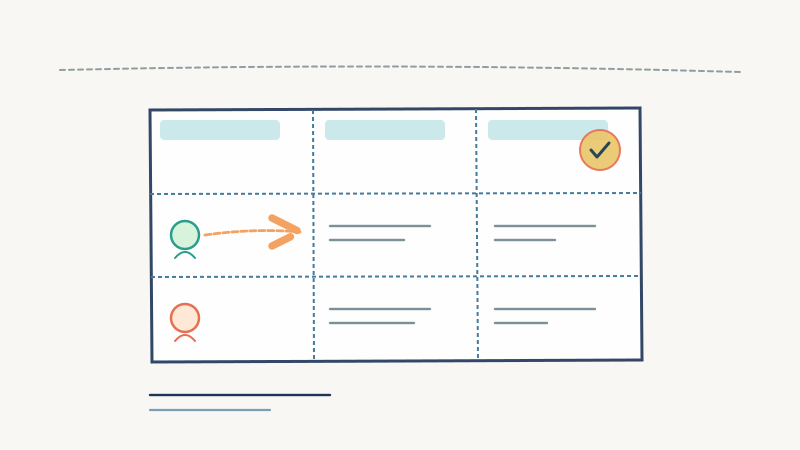
| Dimension | HeyReach | Expandi | Dripify |
|---|---|---|---|
| Core bet | Multi-sender rotation | Deep configurability | Simplicity and speed |
| Best fit | Agencies, multi-profile teams | Technical growth teams | Founders, small teams |
| Sender rotation | First-class | Possible, manual effort | Limited |
| Unified reply inbox | Yes, central to product | Partial | Basic |
| Sequence branching | Moderate | Deepest in class | Lightest |
| Integration depth | Moderate | Strongest | Lightest |
| Misconfiguration risk | Lower | Highest | Lower |
| Setup effort | Medium | High | Low |
The Test to Run Before You Commit
Do not evaluate these on a demo. Demos are configured by someone who knows the tool and seeded with data that behaves. Run this instead, with a trial on your real target list:
- Pick 100 real accounts from your actual ICP, not a broad industry filter. If you have not formalized this yet, start with building an outbound ICP that generates pipeline, because every tool in this category amplifies list quality rather than fixing it.
- Run the same three-step sequence in each tool you are testing: connection request with a note, a follow-up on acceptance, and one value message. Identical copy. The variable you are testing is the tool, not the writing.
- Measure acceptance rate, reply rate, and positive reply rate separately. Acceptance tells you about profile credibility. Reply rate tells you about your message. Positive reply rate is the only one that forecasts pipeline.
- Watch for warning behavior. Any search throttling, any “you have reached the weekly invitation limit” notice, any temporary verification challenge. Note which tool triggered it and at what volume. This is the most valuable data the trial produces and no vendor will give it to you.
- Time your reply handling. Log how long it actually takes you to work the inbox across however many profiles you are running. Then multiply by your intended scale. Most teams discover the breaking point is here, not in sending.
- Check the exit. Can you export contacts, conversation history, and campaign data? Ask before you sign, not when you are leaving.
Run that for two weeks and the right answer is usually obvious, and it is frequently not the tool with the best feature grid.
Where the Channel Actually Breaks
Having watched a lot of LinkedIn programs, almost none of them fail because the automation tool was wrong. They fail for three other reasons.
Nobody owns the inbox. Automated sending creates replies, and replies decay fast. A LinkedIn reply worked within an hour converts dramatically better than the same reply worked on Thursday. If your tool choice is sound but reply ownership is ambiguous, the program produces conversations that quietly die. Our reply management playbook applies here with one adjustment: LinkedIn response windows are shorter than email, not longer.
LinkedIn runs as an island. A prospect who accepted your connection request, read your message, and did not reply is a warm signal, and most teams waste it. That person should enter an email sequence, and the message should reference the context rather than restarting cold. Coordinating those channels is the entire premise of multi-channel outbound, and tool choice is a small part of making it work.
The meeting never gets booked. Interest expressed in a LinkedIn thread has to become a calendar event, and every extra step in between loses people. This is why Vendisys runs calendar invite campaigns through GetKali, which books demos directly rather than relying on a prospect to click a link and self-schedule. Similarly, when the LinkedIn thread stalls and the better next touch is email, EMY handles email campaigns with 98% deliverability so the follow-up actually lands in the inbox.
The Build Versus Operate Question
There is a path most comparison posts will not mention, because the answer is not a tool.
Running LinkedIn outbound well at scale means acquiring and warming credible sender profiles, keeping volume under moving limits, orchestrating sequences across email and LinkedIn, working the inbox fast enough to matter, and converting interest into booked meetings. The automation platform handles exactly one of those five. The other four are operational work, and they are where the time and the risk live.
If you have the headcount to own all five, HeyReach, Expandi, or Dripify can all work when matched to your actual shape. If you do not, the honest comparison is not between three tools. It is between buying software and having the channel operated for you. Vendisys builds and operates the full outbound stack across email, LinkedIn, and calendar, which means the limits, the profiles, the sequencing, and the reply handling are someone else’s daily job rather than a project your team fits around its real work. The tradeoffs of that decision are laid out in GTM infrastructure vs hiring BDRs.
Pick Based on Your Constraint, Not the Feature List
To compress it:
- Running many sender profiles and drowning in reply management? HeyReach.
- Have technical ownership and need LinkedIn activity wired into the rest of your stack? Expandi.
- Validating whether LinkedIn works for your ICP at all, this month, cheaply? Dripify.
- Need the channel to produce meetings without becoming a full-time internal function? That is not a software purchase, and pretending otherwise is how LinkedIn programs end up as a paid subscription with no pipeline attached.
Whichever you choose, start conservative. The volume you can sustain for twelve months is worth far more than the volume you can hit for three weeks before a restriction lands on a profile you cannot replace.