Google Postmaster Tools: How to Monitor and Fix Gmail Deliverability for Cold Outbound
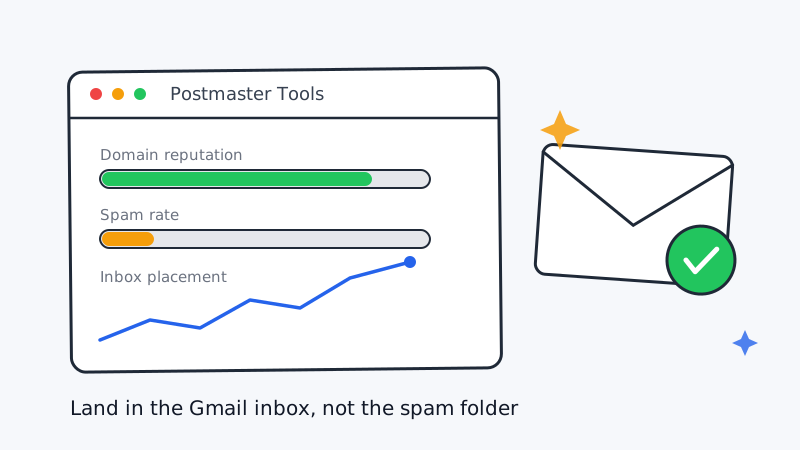
Most cold email teams obsess over subject lines and forget the one thing that decides whether a message is ever read: whether Gmail files it under Primary or quietly routes it to spam. For B2B outbound, Gmail is not a side channel. A large share of your prospects read work mail through Google Workspace, so your Gmail reputation is effectively your deliverability floor.
The problem is that Gmail does not tell the sender when it decides to filter. Your open-tracking pixel can show a healthy number while half your volume never touches an inbox. The fix is to stop guessing and start reading the signal Google actually publishes: Google Postmaster Tools.
What Google Postmaster Tools actually shows you
Google Postmaster Tools is a free dashboard that reports how Gmail treats mail sent from your domains. It is the closest thing you get to looking at deliverability through Google’s own eyes. The metrics that matter most for cold outbound are:
- Domain reputation. A four-tier rating (High, Medium, Low, Bad) that summarizes how much Gmail trusts your sending domain. Anything below High means a meaningful slice of your mail is at risk of the spam folder.
- IP reputation. The same idea applied to the sending IP. If you send through a shared pool, this can move for reasons outside your control.
- Spam rate. The percentage of your delivered mail that recipients marked as spam. This is the single most important number. Google’s stated ceiling for bulk senders is 0.3 percent, and you want to run well under it, ideally below 0.1 percent.
- Authentication. The share of your traffic passing SPF, DKIM, and DMARC. This should sit at or near 100 percent.
- Encryption and delivery errors. Useful for spotting TLS or rate-limiting problems.
The catch is that Postmaster Tools only populates once a domain sends enough daily volume to a Gmail-hosted audience. Very low-volume sending domains may show sparse or empty charts, which is itself a signal that you are spreading volume across too many domains to build any reputation on any one of them.
Set it up before you scale, not after
Setup takes about ten minutes and should happen before you ramp volume, because the dashboard only backfills from the day you verify.
- Go to the Postmaster Tools site and add each root domain you send from. If you run subdomains for outbound (a smart practice that isolates cold-email reputation from your primary domain), add those too.
- Verify ownership with a DNS TXT record. If you already manage DNS for authentication records, this is the same workflow.
- Confirm your DMARC record is published with at least a
p=nonepolicy and a reporting address. Postmaster leans on DMARC alignment to attribute traffic to your domain. - Wait for volume. Charts need a few days of consistent sending to a Gmail audience before they render.
If you are still setting up SPF, DKIM, and DMARC, do that first. Authentication is the price of admission, and Postmaster reputation cannot recover if a chunk of your mail fails alignment. Once those records are live and Postmaster is verified, you have a feedback loop instead of a black box.
Read the dashboard like an operator
Numbers without thresholds are noise. Here is how to translate each metric into an action.
Spam rate climbing toward 0.1 percent. Treat this as a fire alarm, not a warning light. A rising spam rate means recipients are actively hitting the spam button, which teaches Gmail to filter you preemptively. Pause the campaigns driving the spike, tighten targeting, and cut any list segment that looks weakly qualified. Spam complaints are almost always a targeting and relevance problem wearing a deliverability costume.
Domain reputation slipping from High to Medium. This usually trails a spam-rate event by a few days. Reduce daily volume on the affected domain, resume warmup-style sending patterns, and give it one to two weeks of clean, engaged traffic to climb back. Do not push more volume through a domain that is losing trust.
Authentication below 100 percent. Something is sending mail as your domain without proper DKIM signing, or a tool in your stack is misconfigured. Track down the source. Partial authentication is a slow leak that caps how far your reputation can rise.
Empty charts despite active sending. You are below Postmaster’s volume threshold on each domain. That often means your infrastructure is fragmented across too many low-volume inboxes and domains to build reputation anywhere. Consolidate.
Postmaster tells you about Gmail, not the rest of the inbox
Google Postmaster Tools is essential, but it only reports on Gmail. Microsoft-hosted inboxes behave differently and need their own attention, which we covered in our guide on cold email deliverability for Microsoft Outlook inboxes. Treat the two as separate reputations that happen to share a sending domain.
Postmaster also reports lagging indicators. By the time spam rate spikes, the damage is already priced into your reputation. To get ahead of it, you want leading signals: a clean list before you send, and continuous monitoring of domain reputation and blacklist status across providers. This is where dedicated tooling earns its place in the stack alongside the raw Google dashboard.
Close the loop with the rest of your stack
The highest-leverage way to protect a Gmail reputation is to never earn a spam complaint in the first place, and that starts with list quality. Invalid addresses, spam traps, and catch-all domains inflate bounce and complaint rates faster than any content mistake. Running every list through a validation layer like Scrubby before a send strips the addresses most likely to torch your spam rate, including the risky catch-alls that generic verifiers wave through. A clean list is the cheapest deliverability insurance you can buy.
On the monitoring side, Postmaster gives you Gmail’s view once a day, but domain and IP reputation problems often surface first on public blacklists and third-party reputation feeds. A monitoring tool such as CAM can watch your sending domains and alert you the moment reputation slips or a domain lands on a blocklist, so you react in hours instead of discovering the problem in next week’s reply rate. Pairing Postmaster’s first-party data with continuous external monitoring gives you both sides of the picture.
If you want the full authentication foundation that Postmaster depends on, start with our SPF, DKIM, and DMARC setup guide for cold email and our walkthrough on monitoring sending domain reputation and blacklist alerts.
A weekly deliverability review that takes five minutes
Deliverability is not a one-time setup. Build a short recurring ritual:
- Open Postmaster Tools and check spam rate across all sending domains. Anything trending up gets investigated same day.
- Confirm domain reputation is still High. Note any domain that dropped a tier.
- Verify authentication is holding at or near 100 percent.
- Cross-reference against your external blacklist and reputation monitoring.
- Log the numbers so you can spot slow drift over weeks, not just react to spikes.
Five minutes a week beats a quarter of quietly declining reply rates that nobody can explain.
The takeaway
Open rates lie, especially now that inflated pixel loads distort them. Google Postmaster Tools does not. It is the ground truth for how Gmail sees you, and Gmail sees a large share of your buyers. Verify it before you scale, watch spam rate like a hawk, keep authentication pinned at 100 percent, and pair the daily Google view with clean lists and continuous external monitoring.
Cold outbound only compounds when the mail actually lands. If deliverability instrumentation is not yet part of how your team runs outbound, that is exactly the kind of infrastructure Vendisys builds and operates for clients, so every campaign ships on a foundation that keeps messages in front of real buyers.